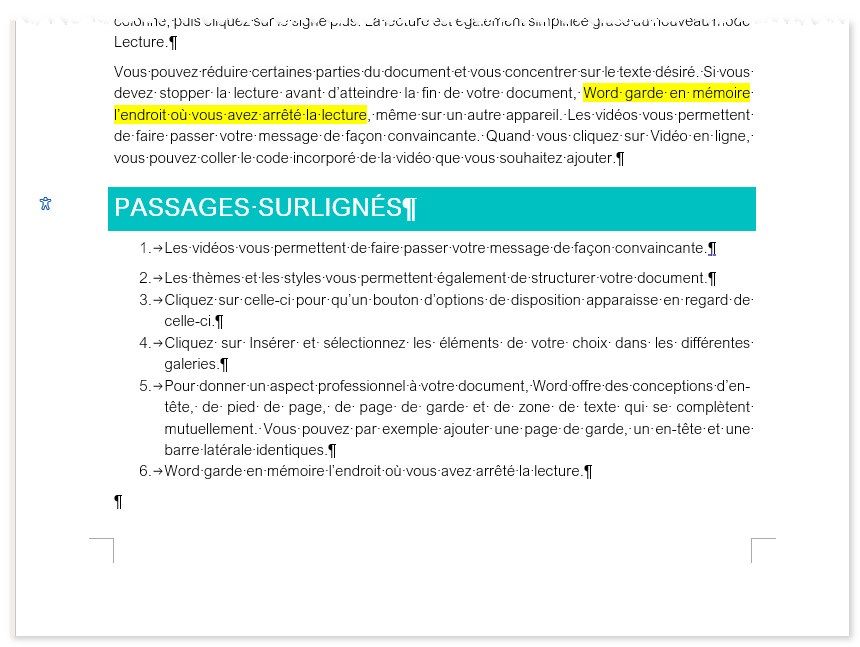
Solution VBA
Avec une macro :
Sub surlignage()
'macro écrite par m@rina
Dim trad As String, Liste As String, ND As Document
Application.ScreenUpdating = False
Selection.HomeKey Unit:=wdStory
'Recherche de tous les mots surlignés
Do
Selection.Find.ClearFormatting
With Selection.Find
.Highlight = True
.Execute
End With
If Selection.Find.Found Then
trad = Selection.Text
If InStr(Liste, trad) = 0 Then
Liste = Liste & trad & vbCr
End If
End If
Loop Until Not Selection.Find.Found
'On crée le nouveau doc et on y insère les textes trouvés
Set ND = Documents.Add
Selection.TypeText Text:=Liste
End Sub
Solution IA
Testé avec Copilot.
Prompt :
"Peux tu extraire toutes les phrases surlignées de ce document, et les insérer sur un nouveau document ?"
Copilot n'a pas su insérer le contenu dans un nouveau document, mais m'a proposé de l'insérer à la fin du document. Le résultat est parfait.